Why your laser pointer doesn’t work on a TV or LED screen.
The most repeated complaint about presentation remotes is not the buttons or the battery — it is the laser disappearing exactly where people present: bright rooms, TV and LED screens, and video calls. It is not a defect in your remote. It is physics, and it affects every red laser pointer, including ours.
Three places a red laser fails.
1. TV and LED / LCD screens
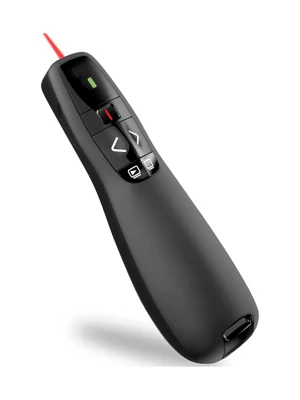
A red laser dot is reflected light: it needs a matte projection surface to bounce back to the audience’s eyes. A TV or LED / LCD screen is glossy and emissive — it makes its own light — so the dot washes out or is not visible at all. Reviewers put it bluntly: most red lasers do not work well on LED TVs or bright LCD panels, and a red laser is not suitable for LED, LCD, or TV screens. A presenter manual states the rule the same way: a physical laser can only be used on a projection screen; only a digital pointer works on a TV / LED / LCD screen.
2. Bright rooms
The same problem, weaker version: in a very bright room the red dot is hard to see even on a projection screen. Buyers report the laser being hard to see in very bright rooms, and roundups consistently route large-room and bright-room buyers to green — at the same power, a green dot looks about 4 to 8 times brighter than red. Green laser versions of GNKER remotes can be made for OEM orders; see About GNKER for OEM project support.
3. Video calls and hybrid meetings
A physical beam is not part of the video signal. On Zoom or Teams, remote attendees see the shared slide, not your room — so your laser dot is invisible to them no matter how bright it is. The same goes for a recorded talk. What works there is a digital pointer: a highlight, magnifier, or cursor rendered on the slide itself, which is why presenters with a digital highlight mode are the standard pick for hybrid meetings.
What to use instead
Match the tool to the screen. Projection screen in a dim room: a red laser is fine — all four GNKER remotes have one, reaching up to 328 ft (100 m). TV, LED / LCD screen, or a hybrid meeting with remote attendees: use a digital pointer or highlight, not a physical laser. Bright room, large venue: a green laser is the honest upgrade, and it is the reason roundups keep recommending green-laser models for big rooms. And if the problem is range rather than visibility, read how the two ranges work — control distance and laser distance are different numbers.
Which remote fits which room.
Frequently asked questions.
Why doesn’t my laser pointer work on my TV?
TV and LED / LCD screens are glossy and make their own light, so a red laser dot washes out instead of reflecting back. Physical lasers only work properly on matte projection screens.
Does a laser pointer work on a video call?
No. The beam is not part of the video signal, so remote attendees on Zoom or Teams cannot see it. Use a digital pointer or highlight that is rendered on the slide itself.
Is a green laser better than a red laser?
For visibility, yes — at the same power a green dot looks about 4 to 8 times brighter than red, which is why roundups recommend green for large and bright rooms. GNKER green laser versions can be made for OEM orders.
Which GNKER remote should I use for a bright room?
Honestly: none of the four has a green laser — all four are red-laser remotes (up to 328 ft / 100 m). For projection screens in dim rooms they work well; for LED screens or hybrid meetings, a digital pointer is the right tool, and for a green laser, ask us about an OEM order.